
 ID story-952441499785
Compare Image Variations With a Contact Sheet
Build a contact sheet with comparable previews, stable review IDs, clear selection criteria, and a final full-size inspection of the chosen image.
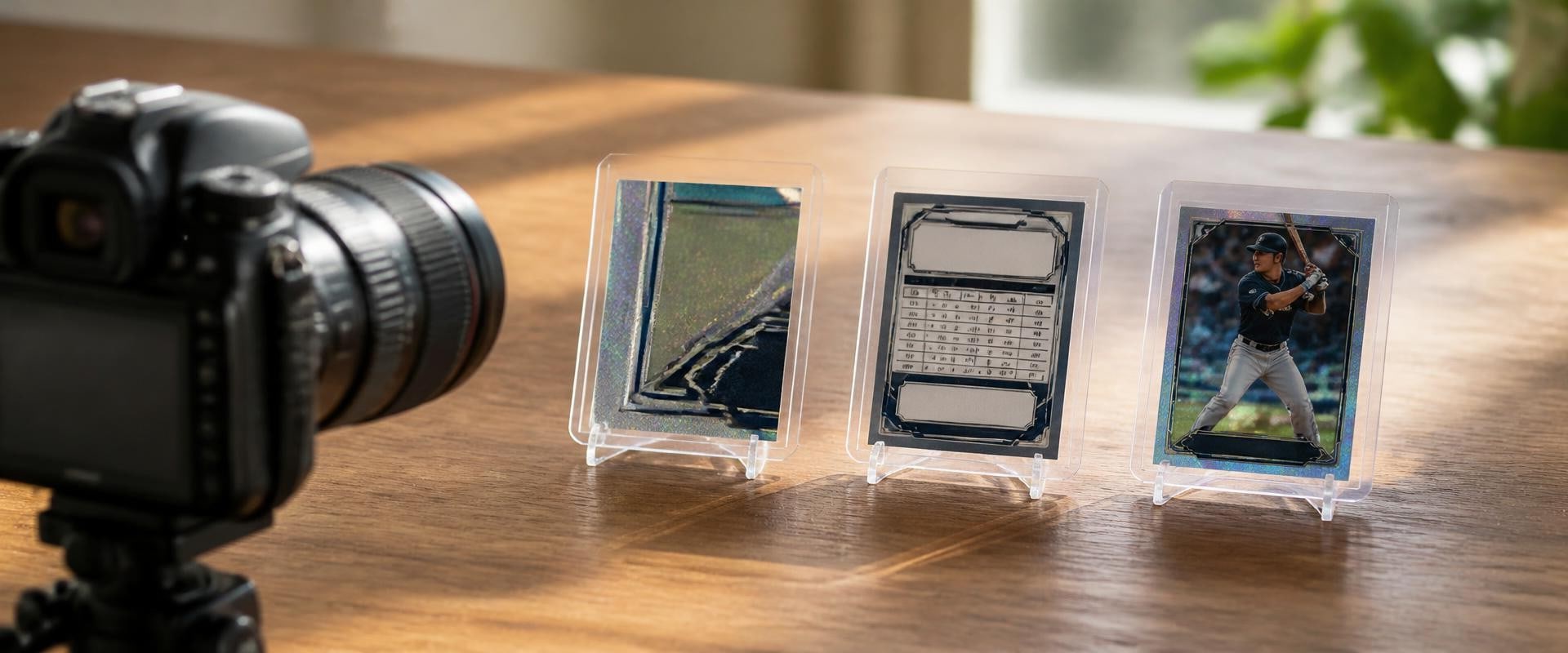
Capture and label card fronts, backs and detail views as one photo set. Preserve originals and link each set to the correct physical copy.
A card photograph is easier to use later when you can tell which physical copy it shows. Two copies can share the same printed name and number while having different visible marks. A front image alone may not show enough information to match the card with its record.
Create a small image group for each physical copy: a front view, a back view and any useful detail views. Connect the group to one inventory identifier before moving on to the next item.
Use an identifier that belongs to your record, not just the number printed on the card. In this fictional example, K0271 identifies one physical copy. Another copy of the same card would receive a different identifier.
Write down the identifier and the card's current storage location. Keep the item and its record together while photographing. If you are unsure which copy matches an older record, resolve that uncertainty rather than assigning a new photograph by guesswork.
Work on one item at a time. Finish its required views, check them and confirm its identifier before bringing the next card into the same photographing area. This creates a practical stopping point if you are interrupted.
Use a stable setup with enough light to see the card. Keep the full front and full back inside their respective frames. Check that fingers, supports or other objects are not covering relevant edges or printed information.
Inspect each image at a useful viewing size. If glare obscures a name or number, change the viewing or lighting angle and take another photograph. A picture that looks acceptable as a tiny preview may still hide the detail you intended to record.
When a holder or sleeve remains in place, note that fact if it affects interpretation. A reflection or surface mark in the photograph may belong to the holder. Do not label it as damage to the card unless you have established what you are observing.
A detail image should answer a specific question, such as which printed number appears on the back or where a visible line sits. Keep the wider front and back views so the detail can be located in context.
For the fictional K0271 example, a detail photograph might show the lower-right area of the back. Describe it as a view of that area rather than assigning a grade or declaring what caused a mark. These photographs are records of visible information, not authentication or professional grading.
Once you have confirmed the item, use a simple pattern that keeps its views together. For JPEG files in this fictional example, the names could be:
Keep the file's real extension. Changing a filename from .png to .jpg does not convert the image format. If you retain a retake, give it a new sequence number and note which view you selected rather than leaving two indistinguishable files.
rip.fan's card-collection cataloging guide provides related collection-record guidance. Connect your photo group to the correct inventory entry and physical copy; the filename alone does not establish the card's identity or condition.
Publisher disclosure: this website and rip.fan share an owner.
Keep the original captures. If you crop or resize a copy for easier viewing, give that derivative a distinct name and retain its connection to the original. Avoid generative edits or retouching that changes printed information, edges or visible marks in a documentary record.
Before sharing images, check for unrelated personal information or other objects in the background. Make any sharing copy separately so the original record stays available for comparison.
Open the inventory entry and follow its photo reference. Confirm that the front, back and detail views all show the same physical copy and that the files open correctly. Then return the card to its recorded location.
Repeat that small check for each item. A modest photo group that stays connected to the correct copy is more useful than a large folder whose identities you must reconstruct later.
ID story-952441499785Build a contact sheet with comparable previews, stable review IDs, clear selection criteria, and a final full-size inspection of the chosen image.
 ID story-568c2fae47e8
Learn about the benefits and options for image backup solutions and version control to effectively organize, backup, and manage your images online.
 ID story-ca77a0b7e437
Learn about the benefits of online storage and how it can make storing and organizing your photos and files a breeze. Discover different options for cloud storage and image hosting services, as well as ways to backup and manage your images efficiently.
 ID story-c1fe31e9f92b
Learn All About Flickr and Its Features for Efficient Image Management